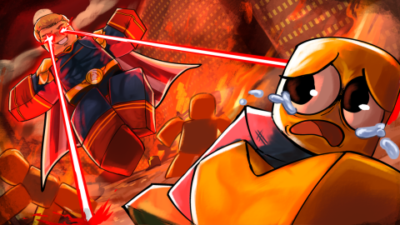
Repz Hub Survive Homelander Script: Premium Wind UI & Auto-Kill
 Keyless
Description
Looking for a sleek, lag-free exploit menu? Repz Hub brings a premium touch to Survive Homelander with its highly praised Wind UI design. This completely keyless beta release focuses on absolute stability, delivering critical combat power like Auto-Kill without cluttering your screen or tanking your frame rates.
Key Features
- Premium Wind UI Interface: Experience one of the cleanest, most responsive GUI menus available. It features an organized, ultra-modern layout that scales perfectly on both phones and desktop screens.
- Overpowered Auto-Kill: Eliminate threats instantly. The script includes a high-performance Auto-Kill mechanic to handle high-pressure encounters automatically.
- 100% Keyless & Fast Execution: No checkpoints, no ads, and no key systems. Paste the code and the script loads instantly.
- Lightweight Performance Framework: Built specifically to prevent game lag and crashes during long farming sessions. It uses minimal system memory.
- Universal Cross-Platform Compatibility: Fully optimized and tested to run smoothly across top-tier mobile and PC executors, including Delta, Hydrogen, Codex, Wave, and Xeno.
How to Use the Script
- Launch the Game: Open Roblox and boot up Survive Homelander.
- Open Your Executor: Start your preferred exploit client (Delta, Codex, Xeno, etc.).
- Copy the Loadstring: Grab the official GitHub gist link provided below.
- Paste & Execute: Input the code into your executor console and click Execute.
- Open the Menu: Tap the toggle button to open the beautiful Wind UI layout and activate the Auto-Kill features.
Features
Compatible Executors
Script
loadstring(game:HttpGet("https://gist.githubusercontent.com/repzzwtw/63912e03cac9b5ef6faed57ae2a696dd/raw/survivehomelander.lua"))()Comments (0)

No comments yet. Be the first!