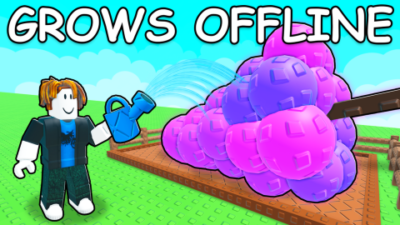
Snowy Hub Grow a Garden 2 Script | Auto Plant, Auto Farm, Auto Steal, Auto Buy, Auto Upgrades
 Key System
Description
Key Link: https://discord.gg/getsnowy
The Snowy Hub automation panel is a dedicated gameplay optimization suite built for Grow a Garden 2. It handles the entire lifecycle of your garden plot—from seed incubation to market selling—while optimizing device performance for long-term away-from-keyboard (AFK) resource farming.
Here is a straightforward explanation of what this automation panel and its core feature sections actually do:
Snowy Hub Grow a Garden 2 Top Features
- Auto Plant Crops
- Auto Water Crops
- Auto Harvest Crops
- Auto Sell Crops
- WalkSpeed / JumpPower
- Teleports (Shop, Garden)
- Auto Steal Crops
- Auto Sprinklers
- Auto Incubate Seeds
- Auto Greenhouse
- Collect Weather Drops
- Auto Buy Seeds
- Auto Open Crates / Eggs
- Auto Feed Pets
- Auto Upgrade Garden
- Auto Seed Fusion
- Auto Kill Wasps
- Anti-Night Stealing
- Crop ESP (Rare Crops)
- Disable 3D Rendering
- FPS Booster
- Anti-Kick (Anti-AFK)
Games Supported
- Legends Battlegrounds
- Dandy’s World [ALPHA]
- RIVALS
- Demonology
- Sailor Piece
- Animal Hospital (Anomaly)
- Sell Lemons
- 99 Nights in the Forest
- Kick a Lucky Block
- One Tap
- Keyboard Escape
- Grow a Garden 2
- Sniper Duels
- Steal a Brainrot
- Swing Obby for Brainrots!
- Murder Mystery 2
- Welcome to Bloxburg
- Arsenal
- Jailbreak
- Adopt Me!
- Bee Swarm Simulator
- Blox Fruits
- Da Hood
- Brookhaven RP
- Pet Simulator 99!
- Evade
- The Strongest Battlegrounds
- Ultimate Battlegrounds
- Heroes Battlegrounds
- Blade Ball
How to Use the Script
Ready to initialize the Snowy Hub automation panel? Follow these steps to execute the utility safely on your device:
- Open Your Executor: Launch your preferred, updated Roblox execution software compatible with your mobile or PC device architecture.
- Launch the Game: Join an active server of Grow a Garden 2 and wait for your garden plots, inventories, and UI assets to load completely.
- Clear Your Workspace: Open your injector’s script console panel and delete any remaining lines of code to prevent execution conflicts.
- Copy and Paste the Loadstring: Copy the official API-hosted Luau code string provided below and paste it directly into your console code editor:
Features
Compatible Executors
Script
loadstring(game:HttpGet("https://api.jnkie.com/api/v1/luascripts/public/4ad6a2d2335968486879c1b1a2dcefc6937ea63c8acb88e703a1ec95a4a146ea/download"))()Comments (0)

No comments yet. Be the first!