
Animal Hospital Overflow Hub Script | Infinite Sanity, Auto Treat, Shutter Anomalies, ESP
 Key System
Description
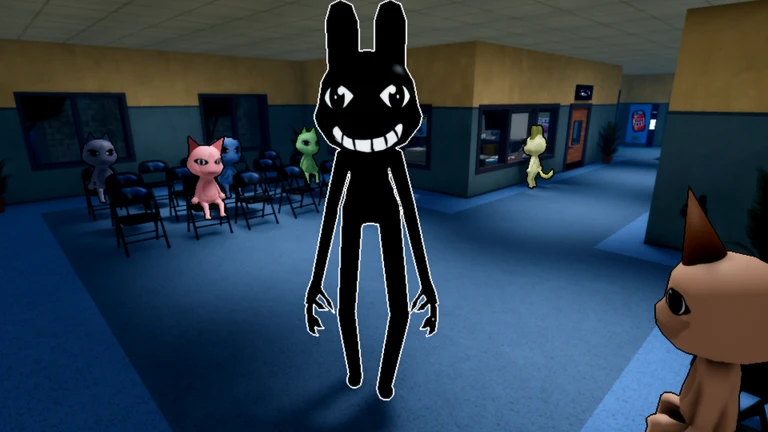
The Overflow Performance Engine is an advanced automation utility custom-designed for Animal Hospital (Anomaly). It completely removes gameplay friction by stabilizing your character’s sanity metrics, managing incoming patient processing, and capturing hostile entities via client-side re-routing.
Key Link: https://overflow.cx/key/
Core Feature Explanations
- Infinite Sanity & Godmode: Continuously stabilizes and patches your character’s sanity metrics on the client side, granting absolute immunity against psychological decay and environmental sanity drains.
- Automated Patient Care Loops: Features highly integrated Auto Check-In and Auto Treat modules that independently process patient registration, operate diagnostic equipment, and administer targeted surgeries or X-Rays.
- Auto Shutter & Removal: Automatically targets and captures map entities using the camera shutter system while executing instantaneous cleanup routines for ambient fires and structural slime deposits.
- Full-Spectrum ESP Overlays: Renders high-accuracy tracking boxes directly over active anomalies and innocent players, exposing their exact movement coordinates through solid terrain layers.
- Player Physics Modifications: Unlocks dedicated structural engine overrides, providing adjustable configurations for Walk Speed, Jump Power, Hip Height, Infinite Jumps, and Noclip movement.
How to Use the Script
Ready to initialize the Overflow automation framework? Follow these steps to execute the utility safely on your device:
- Open Your Executor: Fire up your preferred, updated Roblox exploitation software (fully compatible across mobile frameworks like Delta/Codex and PC suites like Wave/Solara).
- Launch the Game: Join an active server of Animal Hospital (Anomaly) and wait for the medical bays and interface layers to load completely.
- Copy and Paste the Loadstring: Copy the official domain-hosted Luau code string provided below and paste it directly into your execution console text box:
Execute the Code: Click the Execute button to run the loader. The graphic interface menu (GUI) will overlay onto your screen, allowing you to seamlessly toggle your automated medical tasks, character godmode features, and environment tracking.
Features
Compatible Executors
Script
loadstring(game:HttpGet("https://overflow.cx/loader.html"))()Comments (0)

No comments yet. Be the first!