MM2 Script | SP Hub v1.3 (Smart Motion Aim, Auto Knife Throw & ESP)
 Keyless

Description
If you’re looking for a smooth, reliable edge in Murder Mystery 2, the latest SP Hub v1.3 update brings a complete set of features designed to make every round much easier to win. Whether you’re playing as Innocent, Sheriff, Murderer, or Hero, this version packs major upgrades—including refined Smart Motion Aim, auto knife throwing, enhanced target tracking, and dynamic round timers to keep you ahead of the competition on both PC and mobile executors.
Features
🎯 Combat & Motion Aim
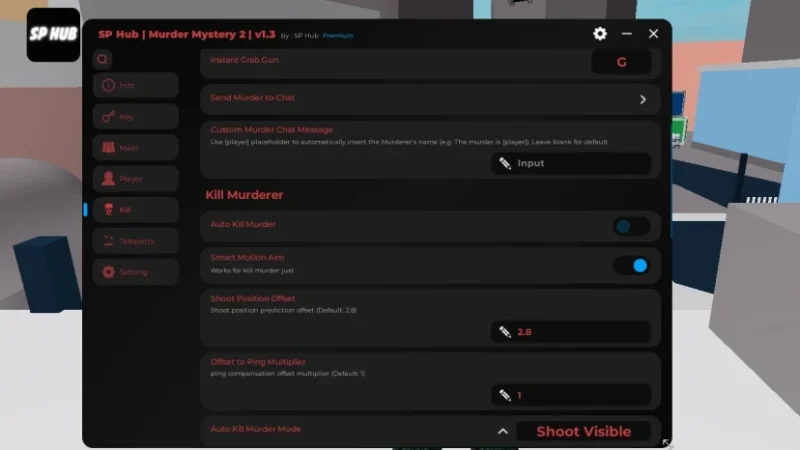
- Smart Motion Aim & Visualizer: Upgraded prediction tracking with on-screen mouse visualization for PC players.
- Auto Knife Throw & Proximity Spawn: Automatically throws your knife at the nearest player or spawns it right next to your target for quick eliminations.
- Position Offset & Ping Multiplier: Adjust shoot offsets based on your network ping for higher hit accuracy.
- Improved Kill Murderer Routine: Refined auto-shoot mechanics so Sheriffs and Heroes can take down the Murderer faster.
👁️ Visuals, Roles & Information
- Full ESP Upgrades: Enhanced wall outlines, player highlighting, and role indicators.
- Hero Role Recognition: Full support for the newly added Hero role alongside Innocent, Sheriff, and Murderer.
- Innocent Round Timer: Added a clear round timer overlay so Innocents can track survival time easily.
- Send Murderer to Chat: Instantly alerts the server in chat when the Murderer is identified.
⚙️ Movement & Performance
- Fling Spinning: Smooth spinning options to mess with nearby targets or trigger fling physics.
- Bug Fixes & Stability: Includes fixes for over 13 reported issues and optimizations across 9 sub-systems for better performance across Delta, Xeno, Solara, and Volt.
How to Use with Delta Executor
- Copy the Script: Grab the raw GitHub loadstring command from the code box below.
- Attach Delta: Launch Murder Mystery 2 on Roblox and open your floating Delta Executor console menu.
- Execute the Script: Paste the loadstring into Delta’s code workspace and click execute.
- Dominate the Match: Use the SP Hub floating menu to customize your aim settings, ESP toggles, and combat options.
Features
Compatible Executors
Script
loadstring(game:HttpGet("https://raw.githubusercontent.com/as6cd0/SP_Hub/refs/heads/main/Loader"))()Comments (0)

No comments yet. Be the first!