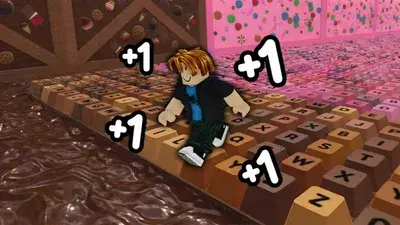
Auto Escape Speed Keyboard Escape Script | Admin Commands, Auto Win, Auto Escape, Candy Farmer

Description
The KScript Optimization Hub is an automation panel built specifically for the Candy & Chocolate update of +1 Speed Keyboard Escape. It streamlines stage progression and seasonal currency collections by manipulating local character vectors and bypassing manual platforming requirements.
Here is a straightforward explanation of what this daily-updated automation utility and its main features actually do:
Core Feature Explanations
- Custom Admin Commands: Injects a local command-line interface into your game client, giving you access to a suite of chat-based or console commands to manipulate your character’s states, viewports, and movement properties on the fly.
- Auto Win & Auto Escape: Continuously shifts your character’s spatial coordinates directly to the finish line or exit zone triggers, bypassing obstacles entirely to automatically secure completion points and stack wins hands-free.
- Auto Collect Candy / Chocolate: Scans the live workspace geometry for newly spawned event drops. The script forces your collection hitbox onto these items instantly, allowing you to maximize seasonal currency pools without manual exploration.
- Multi-Executor Optimization: Tailored to work natively with the underlying execution architectures of modern mobile and desktop exploitation engines, reducing client-side injection lag and interface stuttering.
How to Use the Script
Ready to initialize the KScript automation hub? Follow these steps to execute the utility safely on your device:
- Open Your Executor: Fire up your preferred, updated Roblox exploitation software (fully compatible across mobile frameworks like Delta/Codex and PC suites like Wave/Synapse Z).
- Launch the Game: Join an active server of +1 Speed Keyboard Escape and wait for the event layers and map assets to load completely.
- Clear Your Workspace: Open your injector’s script execution console and wipe out any previous code scripts to ensure a clean compilation environment.
- Copy and Paste the Loadstring: Copy the official API-hosted Luau code string provided below and paste it directly into your console text box.
Features
Compatible Executors
Script
loadstring(game:HttpGet("https://api.jnkie.com/api/v1/luascripts/public/c4ff682a26ae20ce979cf2c83cdad3ca7b045c595d264de8c8e12bd27bc3b5ab/download"))()Comments (0)

No comments yet. Be the first!