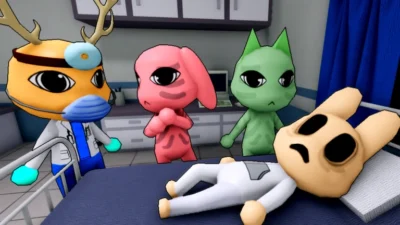
Animal Hospital Atherhub Script | Auto Shift, Front Desk Automation, Auto Carry, Infinite Sanity
 Key System
Description
The Atherhub Optimization Engine is a specialized structural framework designed specifically for Animal Hospital (Anomaly). It streamlines medical workspace operations and environmental safety protocols by handling front desk check-ins, optimizing transit mechanics for patients, and establishing client-side stability overrides.
Key Link:https://www.atherhub.cc/get-key
Core Feature Explanations
- Auto Shift & Front Desk Automation: Completely manages the patient arrival terminal by processing reception permissions, collecting DNA samples, and running active hospital shifts automatically.
- Auto Carry & Patient Care Loops: Optimizes character transit mechanics to instantly transport patients while executing automated treatment routines, item provisioning, analyzer operation, and monitor tracking.
- Creep Avoidance & Sanity Protection: Implements real-time client safeguards that bypass ambient hazards by avoiding active slime trails, subverting Skinwalker encounters, and forcing dangerous entities to leave, all while locking your character’s sanity metrics at maximum capacity.
- Emergency Node Control & ESP: Unlocks direct remote interactions to instantly restore camera networks and service emergency rooms, paired with customizable color-coded ESP overlays to distinguish innocent players from active anomalies.
- Player Telemetry & Movement Framework: Integrates complete engine physics modifications, providing access to adjustable WalkSpeed, JumpPower, continuous Noclip, Infinite Jump, and variable-speed Flight modes.
How to Use the Script
Ready to initialize the Atherhub workplace automation panel? Follow these steps to execute the utility safely on your device:
- Open Your Executor: Fire up your preferred, updated Roblox exploitation software (fully compatible across mobile frameworks like Delta/Codex and PC suites like Seliware/Potassium).
- Launch the Game: Join an active server of Animal Hospital (Anomaly) and wait for the main clinic layers and lobby vectors to load completely.
- Copy and Paste the Loadstring: Copy the official Luarmor-hosted Luau code string provided below and paste it directly into your console text box:
Execute the Code: Click the Execute button to run the loader. The dedicated graphical configuration dashboard (GUI) will overlay onto your screen, letting you seamlessly toggle your automated shifts, hazard indicators, and physics modules.
Features
Compatible Executors
Script
loadstring(game:HttpGet("https://api.luarmor.net/files/v3/loaders/2529a5f9dfddd5523ca4e22f21cceffa.lua"))()Comments (0)

No comments yet. Be the first!