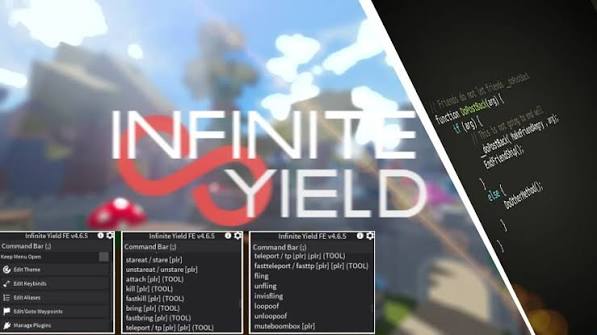
Infinite Yield Script Roblox (2026) Official – 400+ Admin Commands & Download
 Keyless
Description
The Infinite Yield Script is one of the most popular universal Roblox admin scripts, giving players access to hundreds of useful commands in supported Roblox games. It features a simple interface, regular updates, and compatibility with many popular executors. If you’re looking for the latest Infinite Yield Script, you’ll find the newest version, download links, features, and setup guide right here.
Key Features
- ✅ Access 400+ admin commands
- 🚀 Works in many supported Roblox games
- 📱 Compatible with PC and Android executors
- 🎮 Clean, beginner-friendly interface
- ⚡ Fast one-line loadstring execution
- 🔄 Frequently updated with new commands and fixes
- 🛠️ Supports popular executors like Delta and KRNL
- 🎨 Custom themes, aliases, and settings
- 📌 Lightweight and easy to use
- 🆓 Completely free to download and use
Supported Games
The Infinite Yield Script is a universal Roblox admin script, which means it can run in many Roblox experiences that allow client-side scripts. It isn’t made for one specific game, so compatibility depends on the game’s anti-cheat and script protections.
Some popular Roblox games where players commonly try Infinite Yield include:
- 🌱 Grow a Garden
- 🍈 Blox Fruits
- ⚔️ Anime Rangers X
- 🚪 DOORS
- 💪 Muscle Legends
- 🏃 Blade Ball
- 🌊 Fisch
- 🏡 Brookhaven RP
- 👮 Jailbreak
- 🐝 Bee Swarm Simulator
- 🐾 Pet Simulator 99
- 🚗 Driving Empire
- 🚘 Vehicle Legends
- 🏙️ Da Hood
- 🧱 Build A Boat For Treasure
- 🌍 Natural Disaster Survival
- 🥚 Bubble Gum Simulator Infinity
- ⚡ Anime Vanguards
- 🌟 Blue Lock: Rivals
- 🎮 Most other compatible Roblox experiences
How to Use Infinite Yield Script
- Open Roblox and launch your preferred game.
- Start your compatible Roblox script executor.
- Copy the latest Infinite Yield loadstring from this page.
- Paste the script into your executor.
- Click Execute to load the Infinite Yield menu.
- Use the command bar or GUI to access available commands.
Features
Compatible Executors
Script
loadstring(game:HttpGet('https://raw.githubusercontent.com/DarkNetworks/Infinite-Yield/main/latest.lua'))()Video Tutorial
Comments (0)

No comments yet. Be the first!